AI Tools
AI Prompt Builder: How to Write Prompts That Get Usable Answers (Free Tool + Examples)
What an AI prompt builder does, the 10 ingredients of a prompt that gets usable answers from ChatGPT, Claude or Gemini, a real before-and-after example, and when a builder is overkill.
11 min readNew
An AI prompt builder is a form that turns a vague request into a complete prompt: it asks for a role, task, context, audience, source material, output format, tone, length, rules and an example, then assembles them in a layout ChatGPT, Claude and Gemini follow reliably. The result is fewer rewrites and answers you can actually use.
I use prompts every day for client work at TechTipsTool: ad copy, SEO briefs, page audits, support replies. The pattern is always the same. When an answer comes back generic, the model wasn't the problem; the prompt left out something a human freelancer would have asked about. A prompt builder is simply a checklist that stops you leaving those things out.
This guide covers what a builder does, the ingredients it asks for, a real before-and-after example, how the main options compare, and when you're better off just typing.
What does an AI prompt builder actually do?
A prompt builder does three jobs.
- It asks the questions you'd forget. Who is the audience? What format do you want back? How long? What must the model avoid? Each field is a prompt ingredient that changes the answer.
- It assembles the answers into a clean structure. Good builders separate instructions from your data, usually with XML-style tags such as
<context>and<task>, or with plain labelled sections. - It checks the prompt before you send it. Our free AI prompt builder, PromptT3, scores each prompt out of 100 against a transparent checklist and tells you exactly which ingredient is missing.
What a builder does not do is think for you. It can't know your margins, your customer's objections or the claim your legal team won't approve. Those come from you. The builder just makes sure there is a box for them.
Some people use "prompt generator" to mean a tool where you type one line and an AI writes the full prompt for you. That's a different approach, and I compare both below.
Why do vague prompts give generic answers?
A language model fills every gap you leave with the most statistically typical choice. Leave out the audience and you get copy for "everyone". Leave out the length and you get whatever length is common for that kind of text. Leave out the format and you get paragraphs when you needed a table.
Anthropic's prompting documentation calls this out with what it names the golden rule of clear prompting: show your prompt to a colleague with minimal context on the task, and if they would be confused, the model probably will be too (Anthropic, Claude prompting docs, 2025).
That test is the whole idea behind a prompt builder. Picture handing "Write Google ads for my salon" to a freelance copywriter. They would come straight back with questions: Which city? Which services? What's your price point? Who are you trying to attract? Is there an offer? A builder asks those questions up front, so the model never has to guess.
The other common failure is mixing instructions with data. If you paste a long product description and then write "make this shorter and punchier", some models treat parts of your pasted text as instructions. Wrapping the source material in its own section fixes this.
What goes into a good prompt? The 10 ingredients
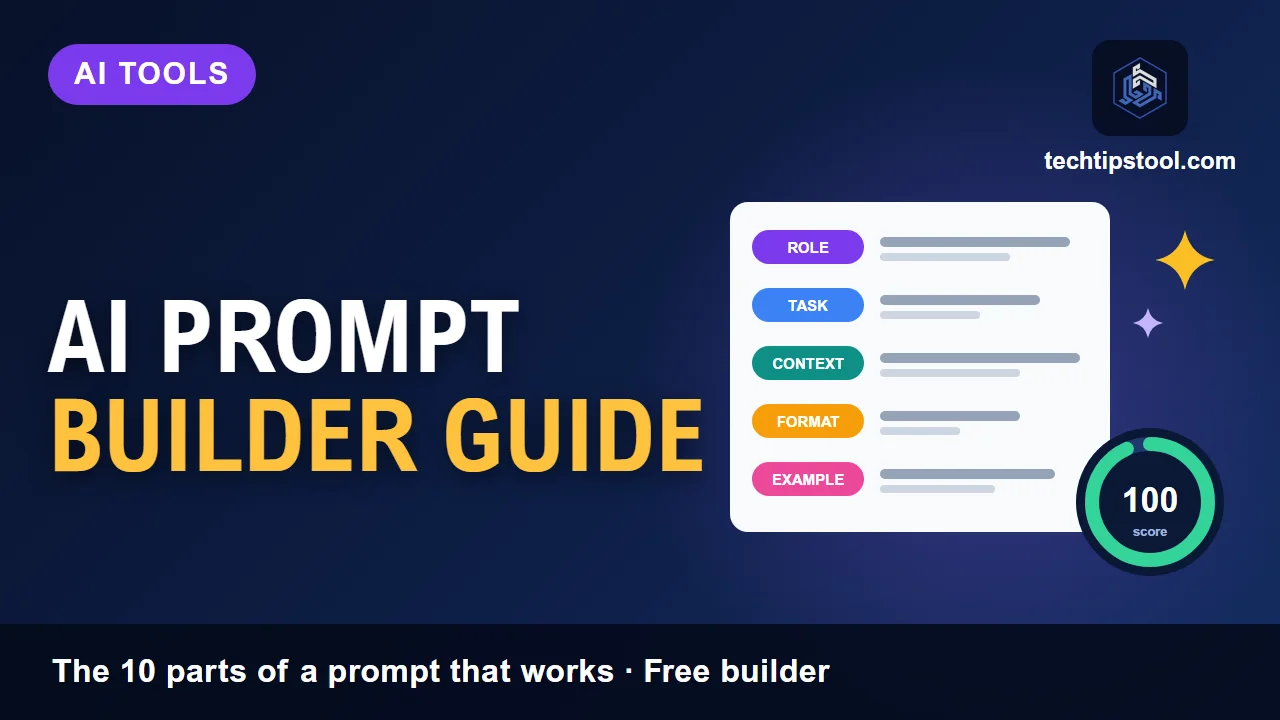
Every major AI provider's prompting guide repeats the same core advice: be specific about the task, give context, define the output format and show an example. The table below lists the ten ingredients PromptT3 checks and the points each one adds to its score, out of 100.
| Ingredient | What to write | Example | Points in PromptT3 |
|---|---|---|---|
| Role | Who the model should be | "a senior PPC specialist for local service businesses" | 10 |
| Task | Exactly what to produce, in a full sentence (8+ words) | "Write a responsive search ad for our bridal makeup package" | 20 |
| Context | The business, offer and why it matters (10+ words) | Location, prices, what makes you different | 15 |
| Audience | Who will read the output | "brides aged 24 to 32 planning winter weddings" | 10 |
| Source material | Data, notes or text to work from | Service list, reviews, last month's best ad | 10 |
| Output format | Bullets, table, JSON, Markdown or paragraphs | "a table with headline and character count" | 15 |
| Tone | How it should sound | "warm, confident, no slang" | 5 |
| Length | A number, not an adjective | "15 headlines, 4 descriptions" | 5 |
| Rules | Dos and don'ts | "No superlatives we can't prove" | 5 |
| Example | One sample of a great output | Your best-performing headline | 5 |
Two notes on the weights. The task and context carry the most points because they change the answer most; tone and length are quick wins but rarely rescue a vague task. And the example is worth more than its 5 points suggests. Google's Gemini prompt design guide recommends always including few-shot examples and says prompts without them are likely to be less effective (Google AI for Developers, 2025).
Before and after: a Google Ads prompt for a salon
Here is a prompt I see all the time.
Write Google ads for my salon.
Typed into PromptT3's task box on its own, this scores 0 out of 100: the task is under eight words, and every other ingredient is missing. The answer you get back will be five interchangeable headlines like "Look Your Best Today!" that ignore Google's character limits.
Now the same request built properly. This brief is an illustrative example, not a client.
<role>
You are a senior PPC specialist who writes Google Ads for local beauty businesses in India.
</role>

<context>
A two-chair unisex salon in Gurugram, Sector 56, open 10am to 8pm, seven days a week.
Known for keratin treatments and bridal makeup. Rated 4.8 on Google from 212 reviews.
Audience: working professionals aged 25 to 40 living within 5 km.
</context>

<task>
Write one responsive search ad promoting our keratin treatment offer.
Each headline must work on its own, because Google mixes and matches them.
</task>

<input>
Keratin treatment: Rs 3,499 (usually Rs 4,999) until 31 December.
Free hair consultation. Online booking at our website. Parking available.
</input>

<format>
A table with columns: Asset, Text, Character count.
Length: 15 headlines (max 30 characters each) and 4 descriptions (max 90 characters each).
Tone: confident, warm, plain English.
</format>

<examples>
<example>
<input>Headline about the rating</input>
<output>Rated 4.8 by 212 Locals</output>
</example>
</examples>

<constraints>
- Count characters including spaces, and rewrite any line over the limit.
- No claims of "best" or "No. 1" that we cannot prove.
- Include the price in at least 3 headlines.
</constraints>
The 15 headlines and 4 descriptions match the maximum Google allows in a responsive search ad, with 30 and 90 characters respectively (Google Ads Help, 2026). Telling the model this, and asking for a character count column, removes the most tedious part of the job: trimming lines that don't fit.
The built prompt scores 100 in PromptT3, and more importantly the answer needs light editing rather than a rewrite. It took me about four minutes to fill in. That is the trade: four minutes of thinking up front instead of fifteen minutes of back-and-forth.
Which AI prompt builder should you use?
There are four realistic options, plus the "just ask the chatbot" approach. They suit different people.
| Option | What you need | Cost to use | Best for | Watch out for |
|---|---|---|---|---|
| PromptT3 by TechTipsTool | A browser | Free, no sign-up | Marketers and owners who want a guided form, 12 templates and a score | You still supply the business facts |
| Anthropic Console prompt generator and improver | A Claude Developer Platform account | Runs on your API account | Developers building prompts for Claude apps | Built for API work, not quick chat use |
| OpenAI Playground Generate and Optimize | An OpenAI API platform account | Runs on your API account | Developers drafting prompts, functions and output schemas | Regenerating replaces your draft, so copy it first |
| Your own template document | A notes app | Free | Teams repeating the same 3 to 5 tasks | Templates drift and nobody updates them |
| Asking ChatGPT or Claude to "write a prompt for X" | Any chatbot | Free tier or subscription | A first draft when you're stuck | It invents details you never gave it |
A few facts behind that table. Anthropic launched its Console prompt generator in May 2024, producing templates with {{VARIABLE}} placeholders, and added a prompt improver in late 2024; in Anthropic's own early testing the improver raised accuracy by 30% on a multi-label classification task (Anthropic, 2024). OpenAI's Playground has a Generate feature that drafts a prompt, function definition or output schema from a task description, and a separate Optimize feature for existing prompts (OpenAI Help Center, 2025).
My honest recommendation: if you write prompts in a chat window for marketing or business tasks, use a form-based builder like PromptT3 or your own template. If you're building a product on top of an API, use the vendor console, because it tests against the model you'll actually deploy.
How do you write AI prompts without a builder?
You don't need any tool to write a good prompt. Once you've used a builder a dozen times, the structure becomes habit. Here is the five-minute method I use when I'm typing straight into a chat window.
- Start with the job, not the topic. "Write a 600-word blog intro" beats "blog about keratin".
- Paste the facts. Prices, locations, product specs, reviews. The model can't use what it doesn't have.
- Name the reader. One line: who they are and what they already know.
- Say what "done" looks like. Format, length, number of options.
- Add one example and one rule. The example sets the style; the rule blocks the mistake you've seen before.
A plain-text version of the salon prompt works fine in ChatGPT, Claude or Gemini:
Role: senior PPC specialist for local beauty businesses in India.
Context: two-chair salon in Gurugram Sector 56, rated 4.8 from 212 Google reviews.
Task: one responsive search ad for our keratin offer (Rs 3,499, usually Rs 4,999).
Format: table of 15 headlines (max 30 characters) and 4 descriptions (max 90).
Rule: no "best" or "No. 1" claims. Show the character count for each line.
PromptT3 can export this plain-text layout too, if XML tags look intimidating to you or your team.
When is a prompt builder overkill?
I would not recommend a full builder for every request. Here are the trade-offs as I see them.
- Quick factual questions don't need one. "What's the GST rate on web design services?" needs a one-line question, not a role and a format.
- Conversations beat forms for exploration. If you don't yet know what you want, chat with the model first, then build a proper prompt once the task is clear.
- A builder can't fix missing knowledge. If you don't know your audience or your offer, a perfect prompt structure produces a confident answer to the wrong question.
- Avoid prompt "packs". I'd avoid buying collections of 1,000 ChatGPT prompts. They're generic by design, and a generic prompt gives a generic answer.
- Don't chase the score. A prompt that scores 100 still needs a human to check the facts before anything gets published or sent.
There's one more case where a builder is the wrong tool entirely: when you're writing the same prompt 50 times a week. At that point it's a workflow, and it belongs in an automation that pulls the data in for you. That's the work our AI app development team does; AI automation plans start at ₹15,000 ($250) a month plus a ₹60,000 ($1,050) setup, and current figures are always on our pricing page.
How do you know your prompt is working?
Run it more than once before you trust it. A prompt that works on one input can fail on the next.
- Test the prompt with three different inputs, including one awkward case
- Check every number, name and claim in the output against your source material
- Count characters or words yourself where limits matter (ads, meta descriptions, SMS)
- Ask a colleague who wasn't involved to read the prompt and say what it asks for
- Save the final version with today's date, so you know which wording produced which result
- Note what you had to fix by hand, then add a rule to the prompt so you don't fix it again
That last step is where the real gains come from. Every manual fix is a missing rule. After three or four rounds, the prompt produces answers you can use with a light edit.
If you want a second opinion on a marketing question rather than a prompt, our free AI marketing assistant answers one question at a time without a sign-up. For a wider view of which AI tools are worth paying for, see our breakdown of the AI tool stack for small businesses and what it costs.
The bottom line
A good prompt is a good brief: role, task, context, audience, source material, format, tone, length, rules and one example. An AI prompt builder makes that brief hard to skip, and that alone is why it works. Start with the free AI prompt builder, pick one of the 12 templates closest to your task, and push the score above 85 before you hit enter.
If you find yourself repeating the same prompt every week, that's a sign to automate it. Book a call with us and we'll tell you honestly whether a template, a custom GPT-style assistant or a proper automation fits your workload.
FAQ
What is an AI prompt builder?
An AI prompt builder is a form or tool that collects the parts of a good prompt (role, task, context, audience, source material, format, tone, length, rules and examples) and assembles them into one structured prompt. It helps you get specific, usable answers from ChatGPT, Claude or Gemini on the first or second try instead of the fifth.
Is a prompt builder the same as a prompt generator?
Not quite. A prompt builder asks you for the details and structures them, so the facts come from you. A prompt generator usually takes a one-line description and has an AI write the full prompt, which is fast but can invent details you never provided. Many tools now do a bit of both.
Do prompt builders work with ChatGPT, Claude and Gemini?
Yes. The ingredients are the same for every major model, and XML-style tags or clearly labelled sections are understood by all three. PromptT3 exports both an XML version and a plain-text version, so you can paste the result into any chat window or API call.
How long should an AI prompt be?
As long as it needs to be to remove guesswork, and no longer. In my experience, most marketing prompts land between 80 and 300 words plus any source material you paste in. A one-line question is fine for simple facts; a task with a format, an audience and rules needs a few short sections.
Is the TechTipsTool prompt builder free and private?
Yes. PromptT3 is free with no sign-up, and it runs entirely in your browser, so nothing you type is sent to or stored on our servers. You copy or download the finished prompt and use it wherever you like.